 Console
Less switching. More doing.
Terminals, files, desktops, and containers live in one browser workspace. Keep your attention on the task at hand.
YOUR INFRASTRUCTURE. A LITTLE MORE TOGETHER.
Manage SSH terminals, files, remote desktops, and Docker in one self-hosted workspace — right in your browser.
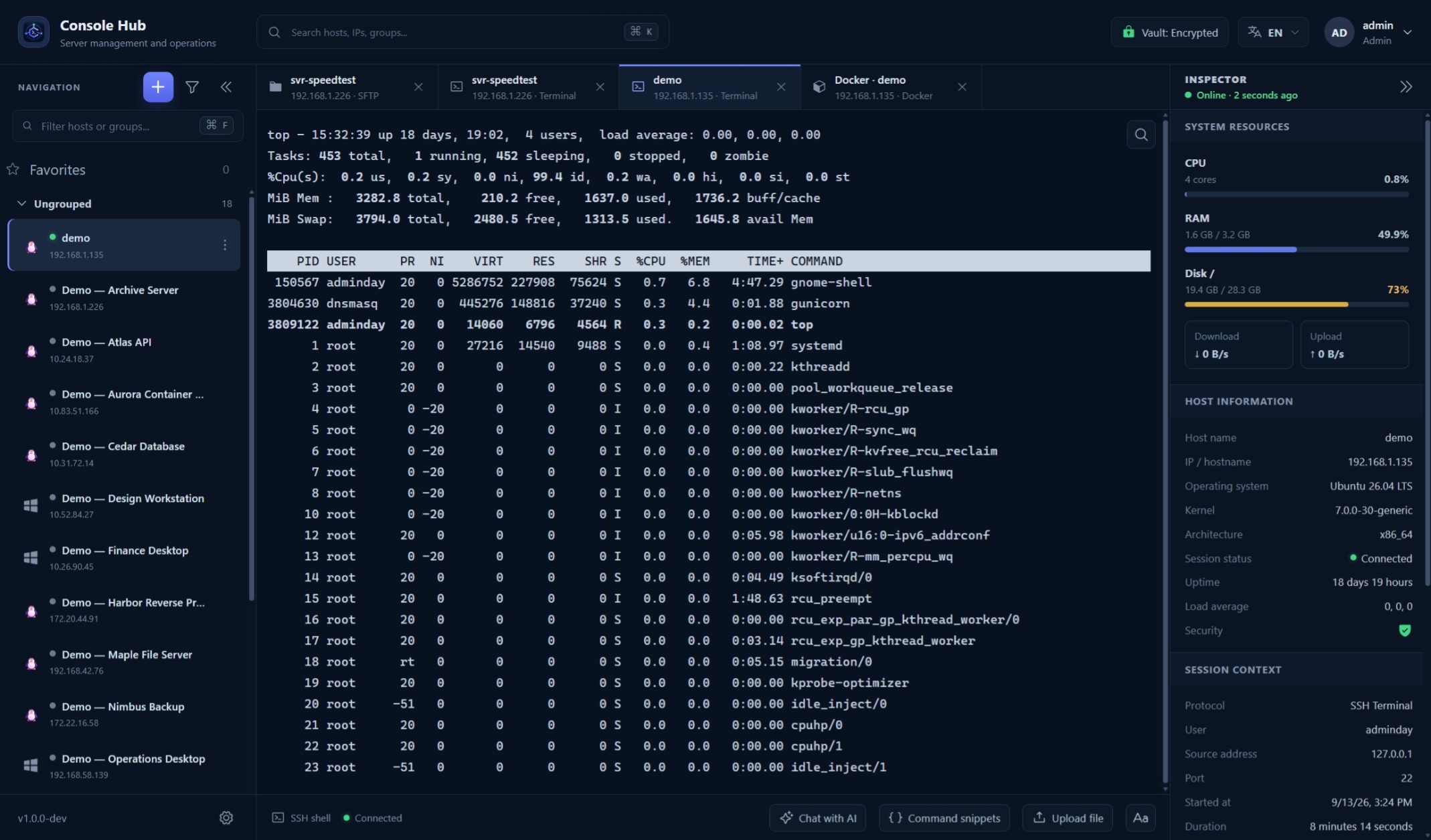
Familiar tools.
One place to work.
LESS FRICTION, EVERY DAY
Server work is complex enough.
The tools around it should feel simple.
Terminals, files, desktops, and containers live in one browser workspace. Keep your attention on the task at hand.
Organize hosts and reuse saved connection details. Passwords and private keys are encrypted in your installation.
With the Team plan, share host access and control which actions each person can take.
MAKE YOURSELF AT HOME
From a quick command to a remote desktop,
the next thing you need is already close by.
Open a terminal, switch between hosts, and keep your sessions together in clearly labeled tabs.
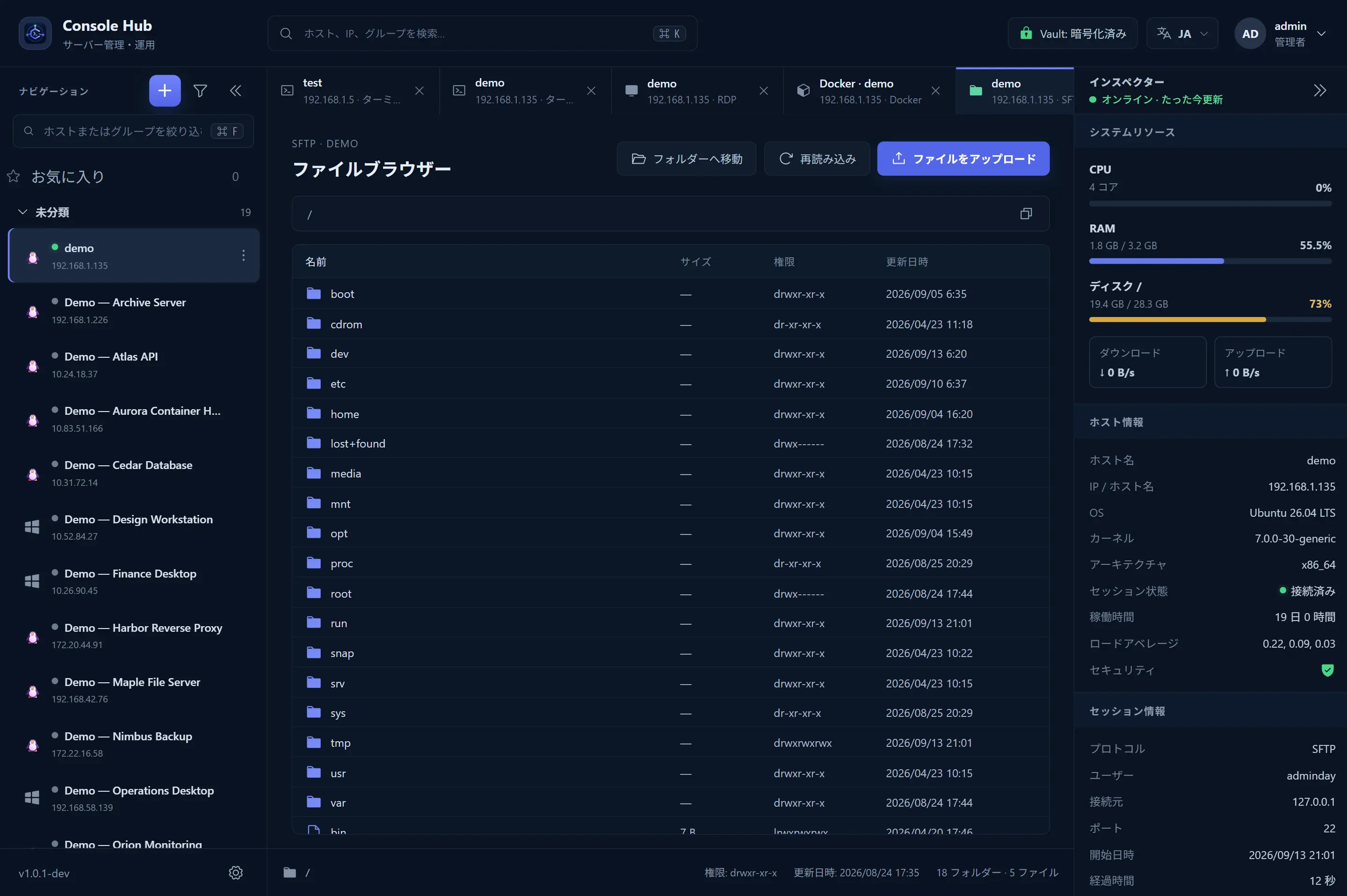
Browse remote folders and transfer files over SFTP, alongside the rest of your server work.
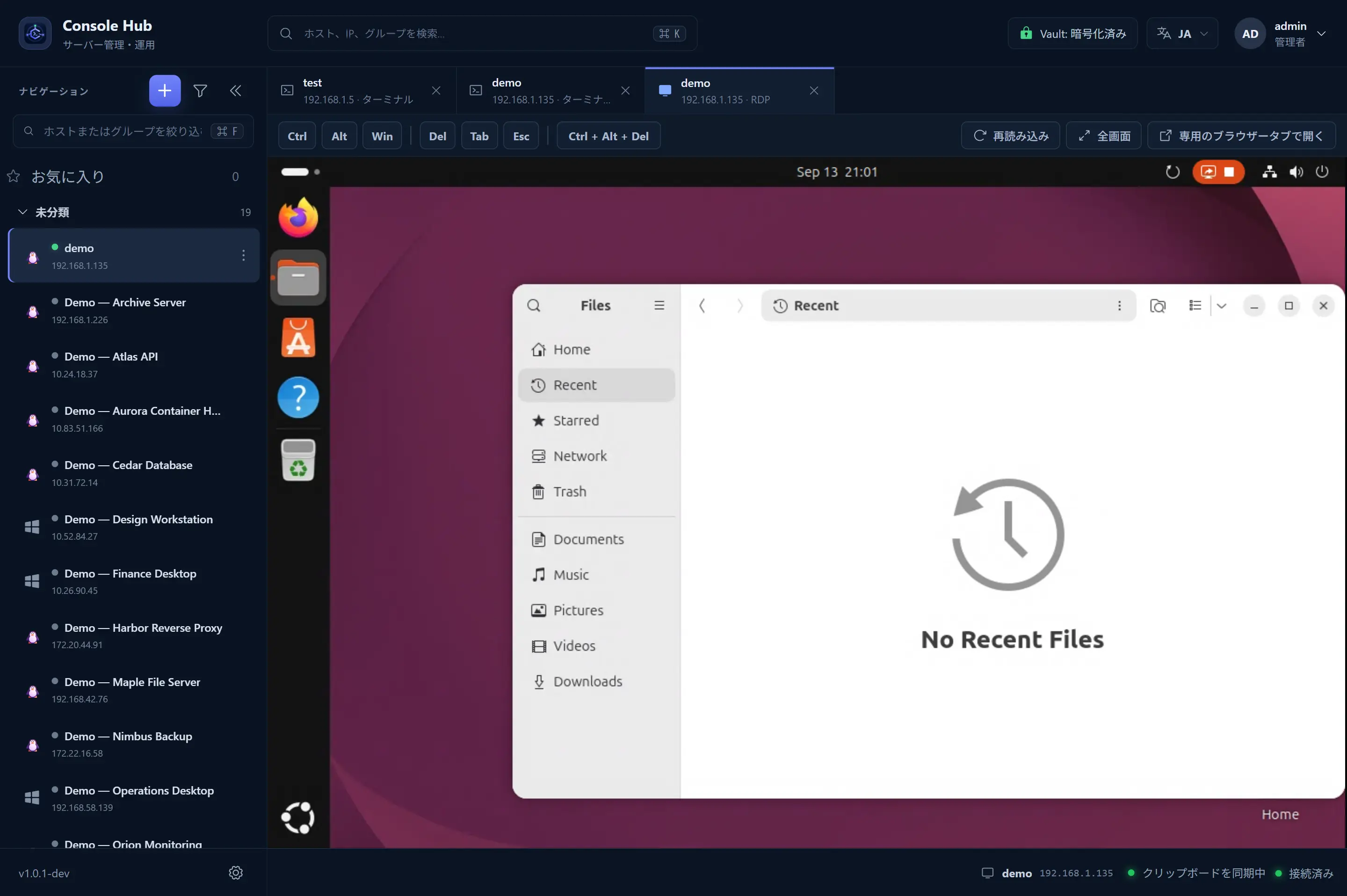
Reach your Windows and Linux desktops through dedicated RDP and VNC workspaces.
Inspect containers, read logs, and manage Docker on your saved Linux hosts over SSH.
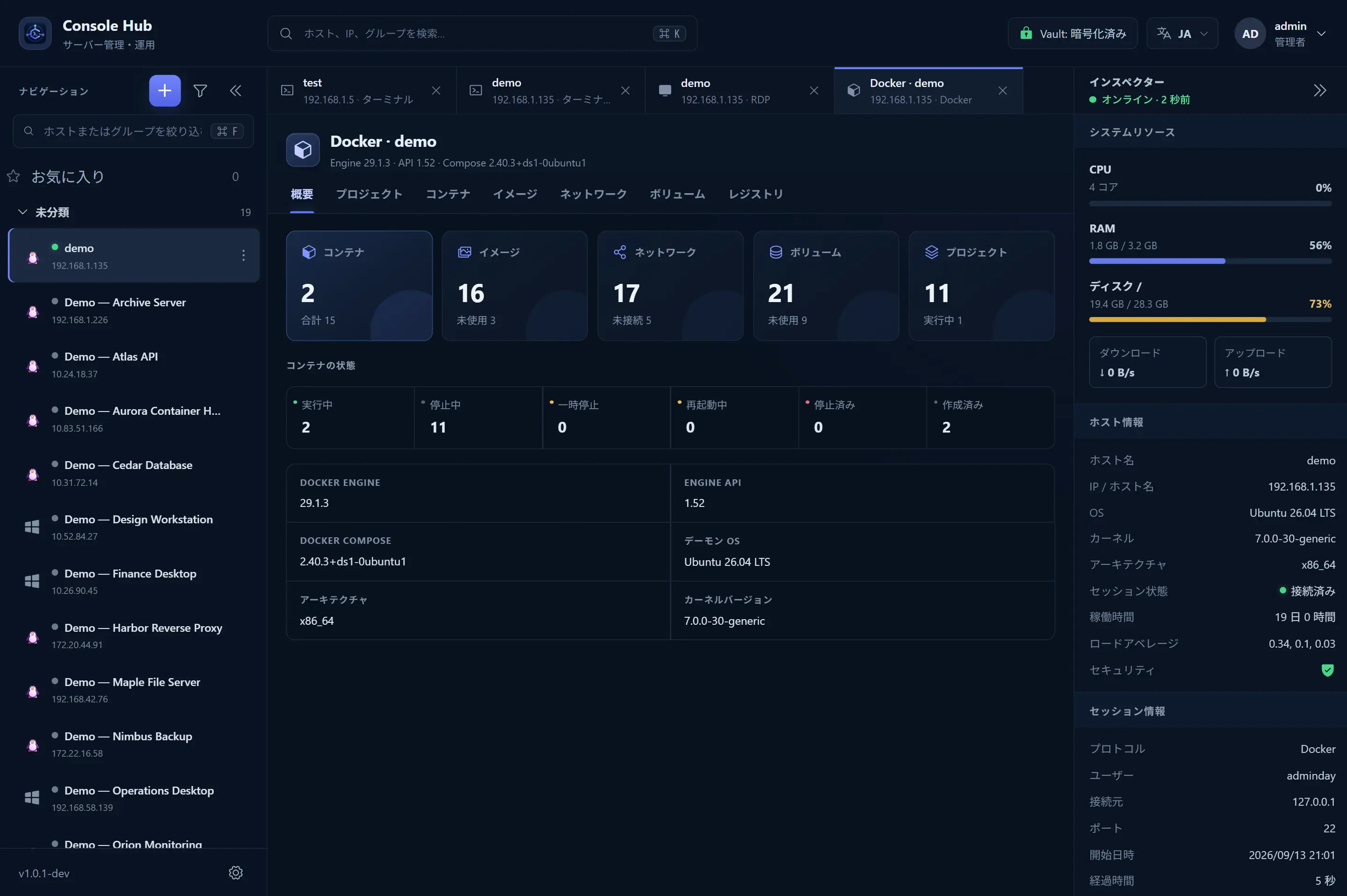
Console Hub supports English, Japanese, and Vietnamese. Screenshots show example workspaces.
A SIMPLE WAY IN
Set up Console Hub once. Make it the place
your team comes back to, every day.
Run Console Hub in your own Docker environment. You choose where it lives and how your team reaches it.
Save your hosts and configure their connections. Organize them so the right server is easy to find.
Connect from your browser, move between workspaces, and pick the right tool for the task.
SELF-HOSTED. TEAM-READY.
Your server connections belong on infrastructure you control. Console Hub brings your team together without moving those connections into a hosted workspace.
You manage deployment, updates, network access, and backups.Saved passwords and private keys are encrypted in your installation. They are not sent back to the browser when you connect.
On the Team plan, choose which hosts each person can reach and which actions they can take.
Run the workspace in your environment, with network exposure under your control.
A FEW THINGS TO KNOW
A little context before you settle in.
Console Hub is a self-hosted browser workspace for people who manage servers. It brings SSH terminals, SFTP file transfers, RDP and VNC remote desktops, and Docker management into one place.
No. You run Console Hub in your own Docker environment and open it in your browser. Your team is responsible for its network access, updates, TLS, and backups.
No. Console Hub connects through the host’s configured SSH, SFTP, RDP, or VNC service. Docker management connects to a saved Linux host over SSH. Those services must be reachable from your Console Hub installation.
Yes. Configure the protocols available on each host: SSH and SFTP for terminals and files, or RDP and VNC for remote desktops. Docker management is available for supported Linux hosts over SSH.
Saved connection credentials are encrypted in your self-hosted installation. Connections are handled by the backend; reusable passwords and private keys are not sent to the browser.
A LITTLE LESS SCATTERED. A LOT MORE CONNECTED.
All your connections. One place to focus.
Start for free Your infrastructure stays yours.